Register ERPNext on ETA Portal
To obtain API credentials:
1. Log in to the ETA Portal.
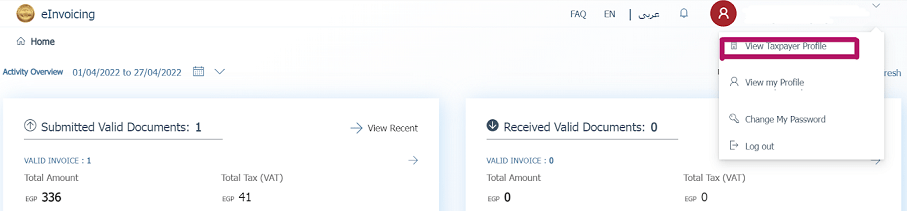
2. Go to View Taxpayer Profile under your company’s profile.
3. Navigate to Representatives, then click Register ERP.
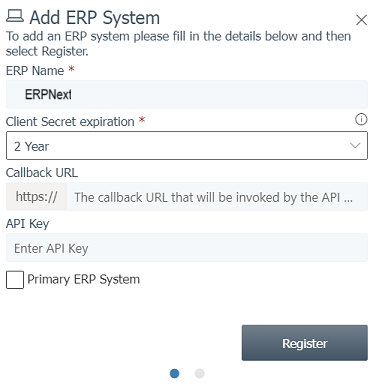
4. Enter your ERP name (e.g., ERPNext) and leave other fields empty.
You’ll receive the following credentials:
• Client ID
• Client Secret 1
• Client Secret 2
ℹ️ Note
You should also request a username/password for portal access and apply for pre-production access. Keep all credentials secure.